You came to understand the data. Start right there.
01 /
The big picture. Every little detail.
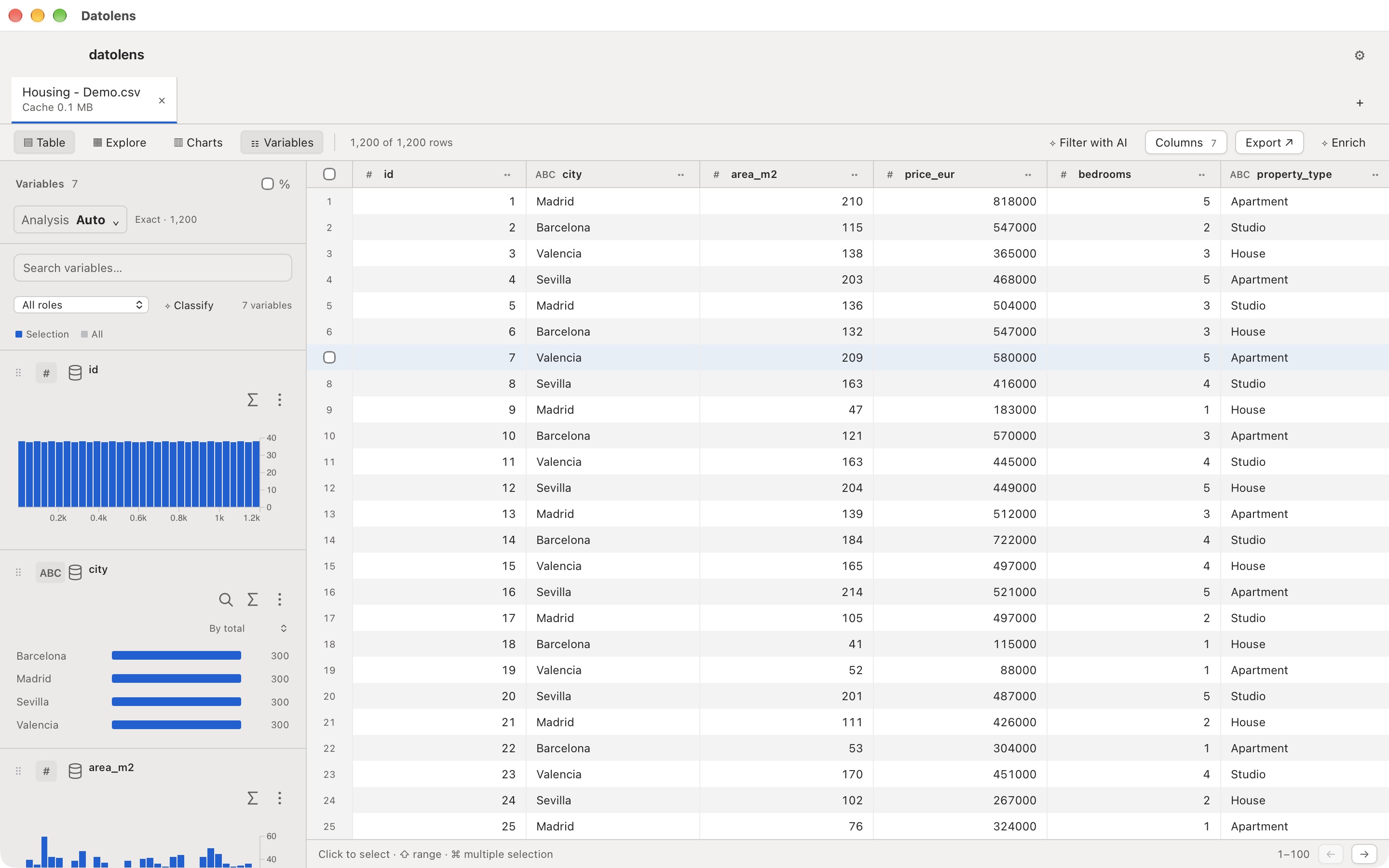
Hundreds of variables don’t have to mean hundreds of unknowns. Scan distributions, spot missing values and find what stands out.
DISTRIBUTIONS · STATISTICS · TYPES
Every variable has a shape.↗
VALID98,6%MISSING1,4%PERSPECTIVES∞
Illustration with sample data
02 /
One question. The next clue.
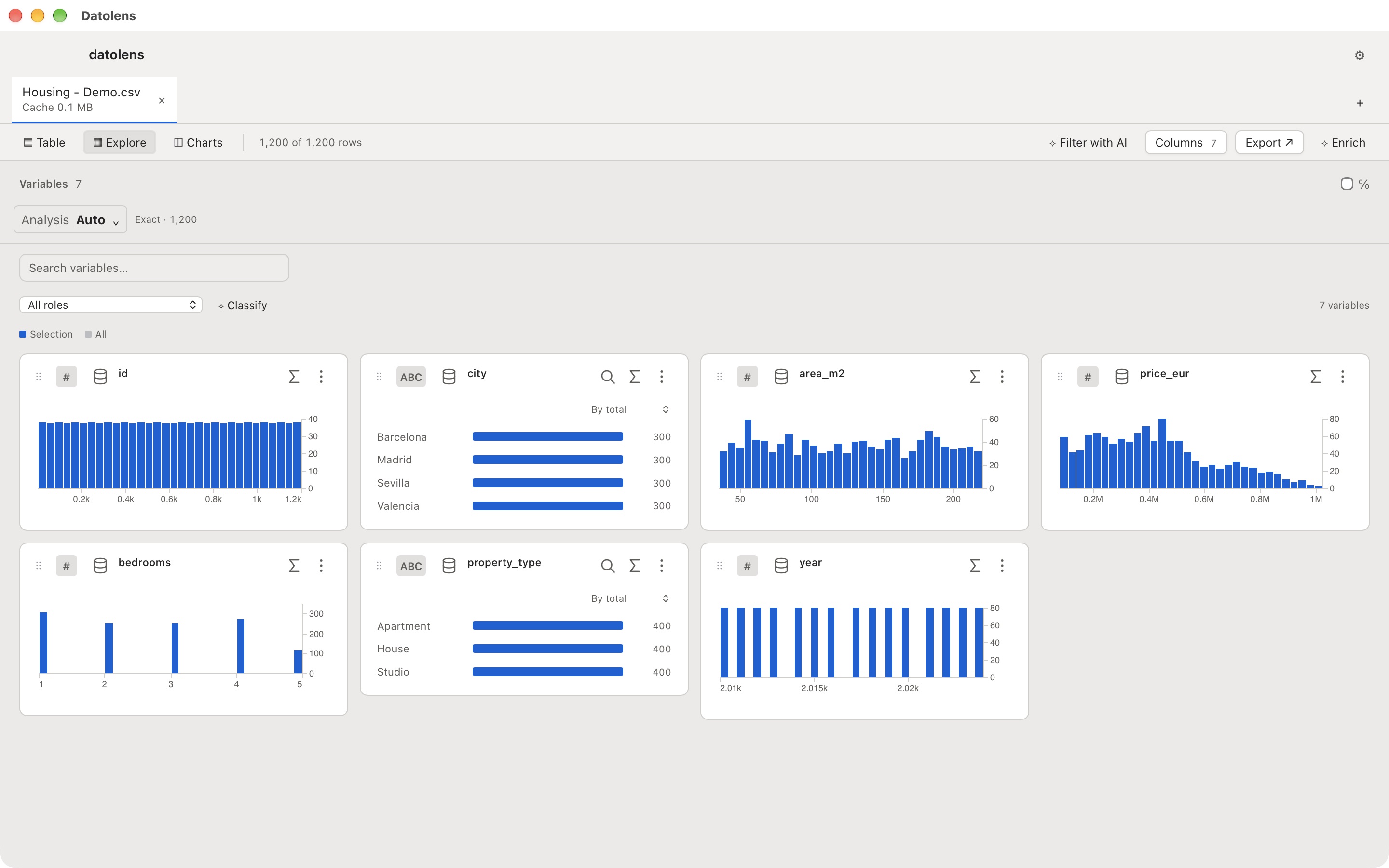
Select a range, filter a category, see what changes everywhere else. Explore relationships without losing your train of thought across sheets and files.
CONNECTED FILTERS · MULTIPLE FILES
It’s all connected.↗
CityMadrid ×
Floor area
Price
03 /
From “I think” to “look at this”.
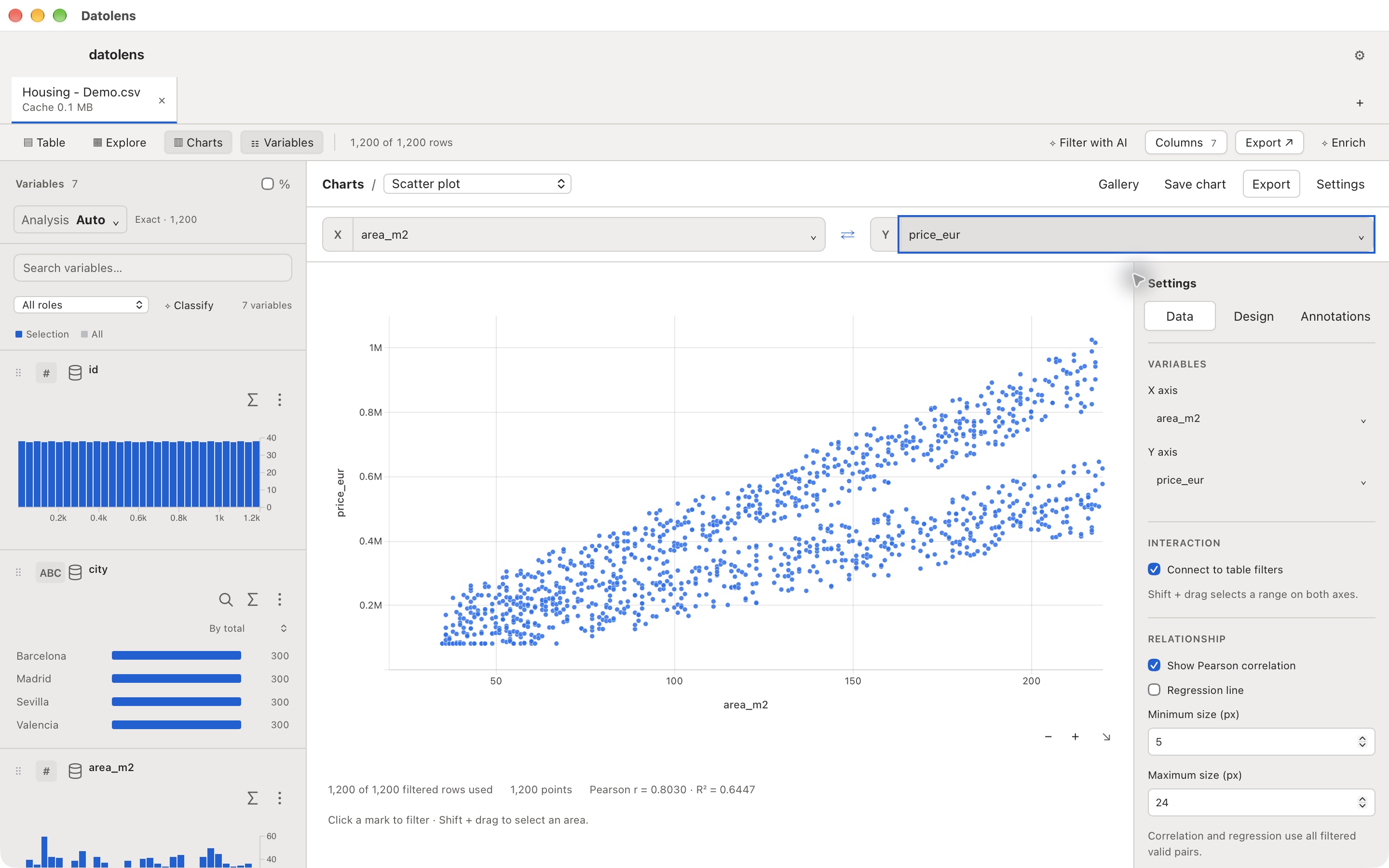
Bar charts, scatter plots, time series and pivot tables. Choose your variables, find an angle and export a chart for your next report.
CHARTS · PNG, SVG & CSV EXPORTS
An idea you can share.↗
PNG SVG CSV
FOR FILES WITH A LOT TO SAY
Room for your data. Space to think.
Millions of rows. Thousands of variables. Datolens uses a local data engine and displays what you need to explore. Get your bearings with a sample, then dig deeper with the full dataset.
Opening time depends on the format, size and your Mac. CSV and Excel require an initial import.
++++
One row. One possibility.↗
Explore a sample or the full dataset.CSV / XLSX / PARQUET / SAV
FOR PEOPLE WITH ONE MORE QUESTION
The next discovery could be yours.
01
Data analysts
That fresh export in your inbox.
Inspect a file, check distributions and find the variables worth a closer look.
↗02
Data journalists
The story between the rows.
Explore public datasets, compare groups and bring a chart to your next editorial meeting.
↗03
Researchers
More questions. Less preparation.
Open surveys and microdata, read SPSS labels and investigate relationships between variables.
↗04
Product & operations
An explanation for that change.
Work across exports, inspect segments and turn a team question into something you can see.
↗
Datolens
.csv.parquet.xlsx
MADE FOR YOUR MAC. AND YOUR DATA.
Your file. Your computer. Your discovery.
Open and explore local files without uploading them to a server or creating an account. Your views and results stay on your Mac.
If you choose to use AI, you select the fields and scope sent to the provider. Opening a file never turns AI on.
CSV, Excel (.xlsx), Parquet and SPSS (.sav). Work with several files and Excel sheets in one workspace. You can also open files from a URL.
Do I need to code?+
Explore variables, apply filters and create charts through the interface. SQL queries and formulas are available when you want to go further.
How does it handle large files?+
A native engine queries the data, while the table displays pages of rows and columns. Analysis can use a sample or the full dataset. The first CSV or Excel import may take time; performance depends on the file and your Mac.
Does my data get uploaded?+
Local file exploration runs on your Mac. Remote sources are requested from their server. If you enable AI enrichment or analysis, the provider receives the selected context for that operation. API keys are stored in macOS Keychain.
Which Macs are supported?+
This beta is built for Apple Silicon Macs (M1 or later), running macOS 12 or later. There is no Intel Mac, Windows or Linux download yet.
What does it cost? Is it on the App Store?+
You can download the beta without creating an account. It is signed and notarized by Apple. Optional AI needs your own API key and may incur provider charges. The Mac App Store version is in preparation and has not been submitted for review.